A file manager utility for OpenComputers.
Made for those who are not experienced with command-line interfaces.
- Zer0Galaxy (aka Dimus) — the computercraft version of the program.
- NEO (a.k.a. Avaja) — the file search algorithm.
- Totoro (also known as MoonlightOwl) — the OpenComputers port.
The programs supports any screens with any color depth or resolution.
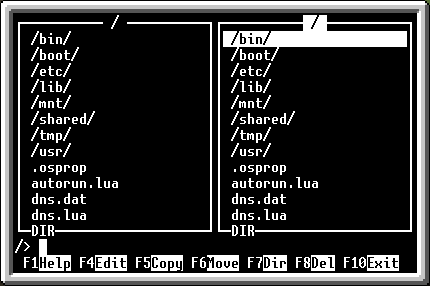

It can be even run on robots.
The GUI was inspired by a well-known Linux program, Midnight Commander, and, of course, Norton Commander.
The program GUI has two panels, to the left and to the right.
Each one lists files and directories stored on the computer's HDDs or floppies.
The directories have / at the end of their names, and are displayed on the top
of the lists.
Below it is a command prompt, and a list of the actions invoked by pressing
a corresponding functional (Fn) key.
Use arrow keys to navigate through the files, and pressing the Tab key moves
the focus to another panel. The Enter key is used to run a program or go to
a directory. To run a program and pass it arguments, hold Ctrl and press
Enter. The name of program will be pasted to the command prompt.
Type the arguments, and press Enter.
Also, you can press Alt + Enter to hide MC.
F1 — show help.
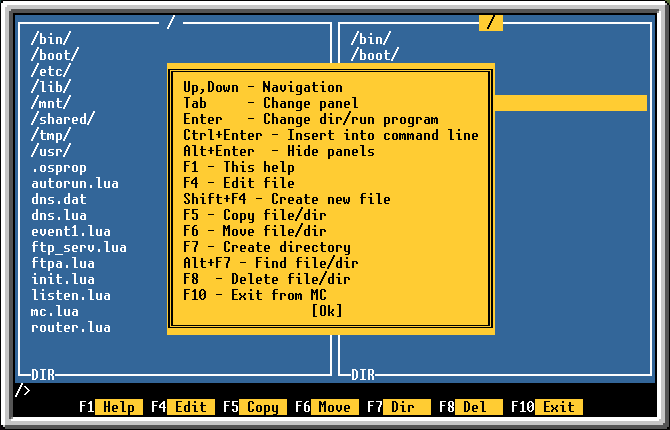
F4 — open an editor with the selected file.
Shift + F4 — create a new file.

F5 — copy a selected file to the another panel's current directory. You can
copy under another name if you want so.

F6 — move a selected file.
F7 — create a new directory.
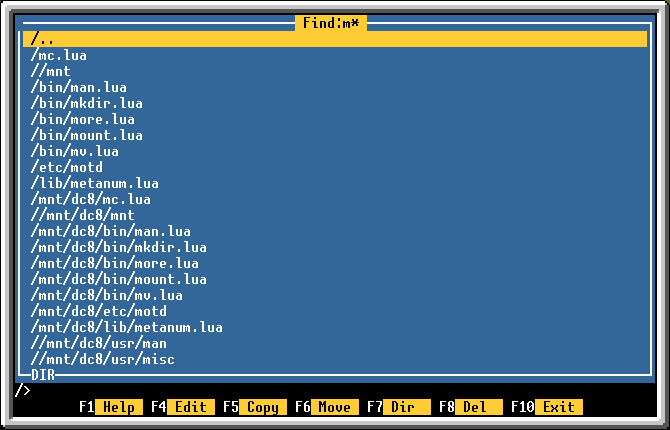
Alt + F7 — search for a file or directory.

You can use ? and * masks.
?means "any character".*means "0 or more characters"
For example, to search for all files that start with m, you can use the m*
pattern.
F8 — remove a file or directory. You'll be asked for confirmation before
removing. Use the Tab key to select the No button.

F10 — exit.