Repository navigation
Expander: remove DisplayMode and replace animations with composition animations - #1636
Conversation
|
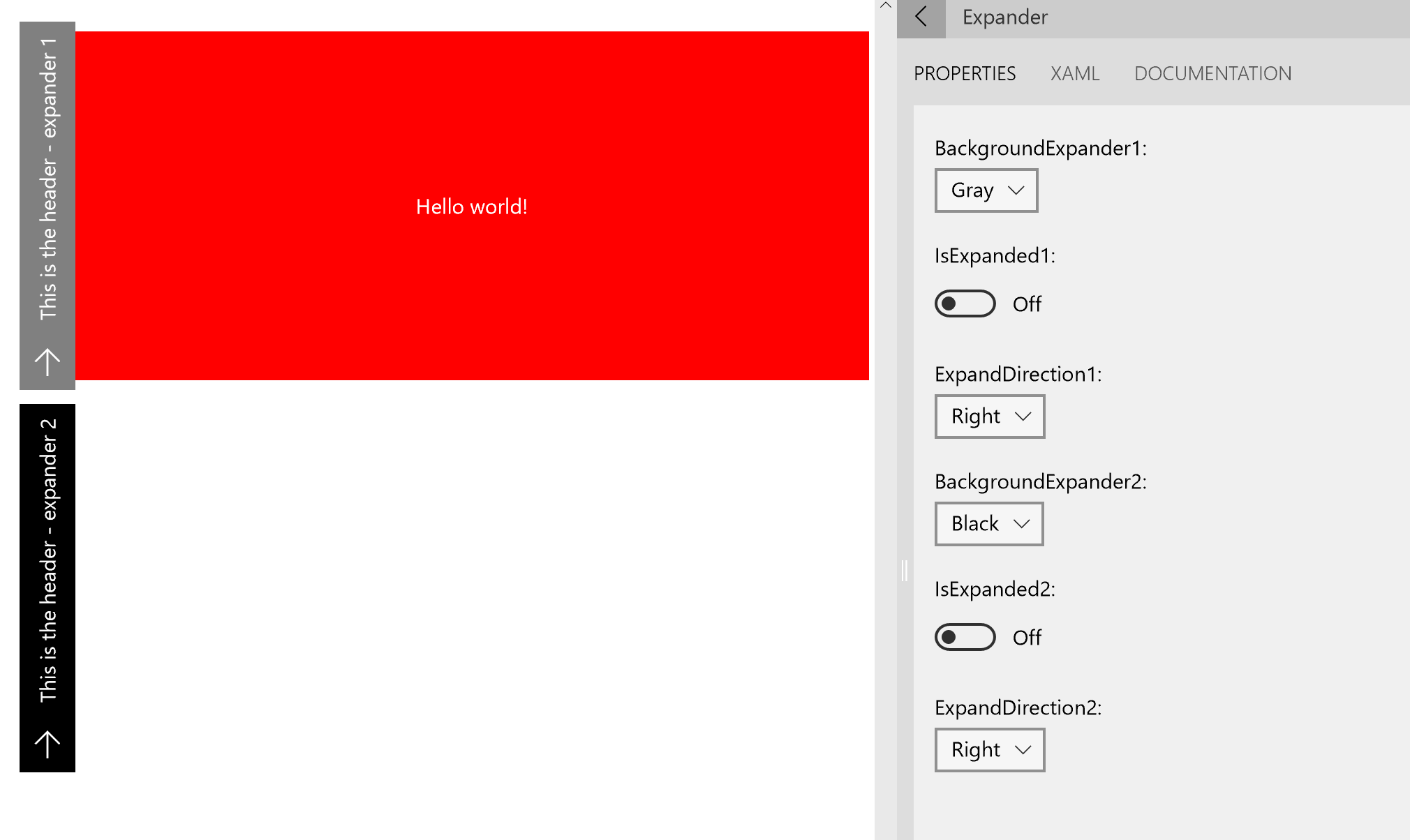
That looks pretty good. One thing I noticed for the moment is that Overlay content seems not to be stretched. Here is an example to show you :
The Overlay content should have the same height as the header. |
|
|
||
| <controls:Expander.ContentOverlay> | ||
| <Grid Background="Red"> | ||
| <Grid Background="Red" Height="250"> |
There was a problem hiding this comment.
It seems to work better if I set MinHeight instead of Height.
There was a problem hiding this comment.
Good catch, updated
| <Setter Target="PART_MainContent.(Grid.RowSpan)" Value="1" /> | ||
| <Setter Target="PART_MainContent.(Grid.Column)" Value="0" /> | ||
| <Setter Target="PART_MainContent.(Grid.ColumnSpan)" Value="2" /> | ||
| <!--<Setter Target="PART_MainContent.(extensions:VisualEx.NormalizedCenterPoint)" Value="0,1,0" />--> |
There was a problem hiding this comment.
Should that line be removed?
|
I noticed a small visual glitch (a small line near the bottom of the expander), but it goes away as soon as I try and take a screenshot. :( If you have it in down mode (without overlay) in the sample, I'll see it on the left-hand side. For left/right, it's on the bottom. Just a 1 pixel gray line that's about 10 pixels long. It sometimes goes away on its own after a bit of time? |
|
Since we're using the implicit animations now which require Creator's update, is their fallback on RS1 that they're just ignored? Or would it cause problems to use the control itself on RS1? Is the way still to customize the animations just to reskin the whole expander template? Or is there a shortcut, I tried sticking a blank implicit animations collection in the expander tag, but it didn't seem to change anything. |
| The `DisplayMode` property can take 2 values that will modify the behavior of the Expander control: | ||
|
|
||
| * `Expand` - the content is either visible or collapsed (default) | ||
| * `Overlay` - when the content is collapsed, an overlay content is shown |
There was a problem hiding this comment.
I don't think the ContentOverlay container property is actually called out elsewhere? So, we probably need a little blurb on it still somewhere, eh?
|
@michael-hawker, I've noticed the glitch too and it's something that happens with composition animations, it's not just with the expander. I'm following up with the composition team - this shouldn't be a blocking bug. I tested on Anniversary Update, the animations just don't run and the control works the same way it worked before we added animations. On changing the animations, yes, it will need to be re-templated. It's the same for most other controls, so don't think it's an issue. For future improvements, we can add properties to the expander to specify the animations |
|
This PR is linked to unclosed issues. Please check if one of these issues should be closed: #1630 |
Issue: #1630
PR Type
What kind of change does this PR introduce?
PR Checklist
Please check if your PR fulfills the following requirements:
Does this PR introduce a breaking change?
Other information